TV Garden
Finding interesting television channels from different parts of the world can be difficult when you rely on traditional TV services.
Finding interesting television channels from different parts of the world can be difficult when you rely on traditional TV services. TV Garden offers a different approach by making global channel discovery simple and interactive. Instead of staying within one local channel lineup, users can explore television content from different countries and regions.
The TV Garden App is built around the idea of discovering live television through an easy-to-use interface. You can explore available locations, look for channels, and open streams based on what is currently accessible. As a result, the platform can be useful for viewers who enjoy international news, entertainment, sports, music, documentaries, and other types of programming.
What Is TV Garden?
TV Garden is a platform designed to help users discover live television channels from different parts of the world. Its most recognizable concept is the interactive globe, which allows viewers to explore channels based on geographic locations.
Rather than presenting a fixed list of channels, the service focuses on exploration. You can move between countries, discover regional broadcasts, and select available channels that interest you. This makes the experience different from conventional television, where your provider usually determines the channel lineup.
The TV Garden experience can also be useful for people who want to discover programming in different languages. For example, someone interested in international news can explore channels outside their home region. Likewise, viewers can use the platform to find unfamiliar entertainment, cultural programming, or local broadcasts.
It is worth remembering that live streams depend on their individual sources. Therefore, a channel that works today may become unavailable later, while playback quality can differ between streams. This is a normal consideration when using an internet-based channel discovery service.
How Does TV Garden Work?
TV Garden keeps the basic viewing process straightforward. The platform centers on discovering channels through locations, which means you can start with a country or region instead of searching through a long traditional channel list.
Open TV Garden
Start by opening the supported TV Garden platform or application on your compatible device. The available interface may vary depending on the version and platform you use.
Explore the Globe
The interactive globe provides a visual way to explore television around the world. Select a location that interests you, then check the channels associated with that area.
Select a Country or Region
After choosing a location, you can browse the available channels. This approach makes it easier to discover broadcasts that you may not normally encounter through a local TV provider.
Find an Available Channel
You can explore the channel list or use available search tools when you already know what you want to watch. Search can save time when you’re looking for a particular station.
Start Live Playback
Once you select an available channel, TV Garden can open its corresponding stream for playback. The actual viewing experience depends on the stream source, your internet connection, and the device you are using.
Save Channels You Like
If your version supports favorites, you can save frequently watched channels for easier access later. This can make repeated viewing more convenient because you won’t need to search for the same station each time.
TV Garden Live TV – Explore Channels Around the World
The main attraction of TV Garden Live TV is its focus on international channel discovery. Instead of limiting viewers to programming from one country, the platform encourages them to explore broadcasts from different locations.
You may find channels covering news, sports, entertainment, music, documentaries, education, weather, and other subjects. However, the exact selection can change because individual streams may be added, removed, or become temporarily unavailable.
The global approach also makes TV Garden interesting for viewers who want to experience television from another region. Someone living abroad, for instance, may enjoy discovering channels from home. Meanwhile, language learners can explore broadcasts that help them become more familiar with different languages and cultures.
What Can You Watch on TV Garden?
The available programming can vary by location and stream source. Still, the platform’s global discovery model can expose viewers to several broad categories.
Live News Channels
News broadcasts can help users explore current affairs from different countries and regions. Watching international sources can also provide a broader perspective on stories that receive coverage around the world.
Sports Programming
Sports channels may provide access to different types of live or scheduled programming. Availability depends on the individual channel and its active stream.
Movies and Entertainment
Entertainment channels can include programming designed for general audiences. The exact selection varies by country and the streams currently available.
TV Series and Shows
Some channels may feature series, talk shows, lifestyle programs, and other television formats. Exploring different regions can reveal programming that is not common on local television.
Documentary Content
Documentary-focused channels can be useful for viewers interested in history, science, nature, technology, and culture. Their availability depends on the channels accessible through the platform.
Kids and Family Content
Family-oriented programming may also appear among available channels. Parents should still review individual broadcasts because channel content and schedules can change.
Music Channels
Music stations can provide another way to discover artists, programs, and broadcasts from different regions. This makes international channel exploration more varied.
Educational Programming
Educational channels may cover subjects such as science, history, language, technology, and general knowledge. Availability will depend on the selected location and active streams.
Discover Global Channels With TV Garden
One of the most useful aspects of the platform is the ability to explore television geographically. Instead of thinking only about individual channels, users can start with a country and see what broadcasts are available there.
Browse Channels by Country
Country-based discovery makes international television easier to explore. Select a location and review the available stations connected with that region.
Explore Channels by Language
Language-based viewing can help users discover broadcasts outside their usual media environment. It can also make the platform useful for people interested in foreign-language content.
Discover Regional Programming
Regional broadcasts can offer a closer look at local news, culture, entertainment, and community programming. This is one reason the global approach can feel more engaging than a conventional fixed channel lineup.
Why Channel Availability Can Change
Live television streams do not always remain available permanently. A source can go offline, change its address, experience technical problems, or become restricted in a particular region.
For that reason, it is better to view TV Garden as a channel discovery platform rather than assume that every listed station will always provide uninterrupted playback. This realistic expectation can help users understand occasional changes in availability or streaming quality.
Top Features of TV Garden
The appeal of TV Garden goes beyond its collection of live channels. Its interface is designed around discovery, which makes it easier to move between locations and find broadcasts that match your interests.
The available features can vary depending on the platform or version you use. Therefore, it is best to treat device-specific functions as version-dependent rather than assuming every feature works identically everywhere.
Interactive Globe Navigation
The interactive globe is one of the most recognizable parts of the TV Garden experience. It gives users a visual way to explore television by location instead of scrolling through a conventional channel list.
You can move around the globe and select different regions to discover available broadcasts. This simple approach turns channel browsing into a more exploratory experience.
Advanced Channel Search
A search function can save time when you already have a particular channel in mind. Rather than browsing several locations, you can use the available search tools to narrow down your options.
This feature becomes especially useful when you frequently return to specific stations or want to find a channel without manually exploring the map.
Random Channel Discovery
Sometimes, you may not have a specific channel in mind. A random discovery option can make those moments more interesting by helping you find broadcasts you might otherwise overlook.
This feature fits naturally with the platform’s global exploration concept. You can discover something new without first deciding exactly what you want to watch.
Favorite Channels
If your version supports a favorites feature, you can save channels that you watch regularly. This reduces the need to repeat the same search whenever you return to the platform.
Favorites can be particularly convenient for viewers who regularly follow channels from specific countries or regions.
Viewing History
A viewing history feature can make navigation easier by keeping track of recently opened channels. It gives users a quick way to return to broadcasts they have already explored.
The usefulness of this feature depends on the specific version and platform, so its availability may differ across devices.
Picture-in-Picture Mode
Picture-in-picture functionality can allow compatible devices to keep video playback visible while another task is being performed. This can be useful when you want to continue following a broadcast without keeping the video in full-screen mode.
Support can depend on the application version and the operating system.
Chromecast Support
Where supported, Chromecast can provide a convenient way to move playback from a compatible device to a larger screen. This can make international channel browsing more comfortable when watching from a television.
However, casting depends on both the TV Garden version and the devices connected to the same network.
Electronic Program Guide
An Electronic Program Guide, when available, can provide useful information about scheduled programming. Instead of opening channels one by one, viewers can use program information to understand what may be playing.
The depth of EPG information can vary because it depends on the available channel data.
Simple User Interface
A straightforward interface helps reduce the learning curve for new users. The main concept remains easy to understand: choose a location, discover channels, and open an available stream.
This simplicity is particularly helpful for people who want to explore international television without dealing with a complicated menu system.
Easy Channel Switching
Fast channel switching can make exploration more enjoyable. When you are comparing broadcasts from different locations, being able to move from one channel to another without unnecessary steps can improve the overall experience.
Actual switching speed will still depend on your device, internet connection, and the response of the selected stream.
TV Garden Online – Explore Live TV Over the Internet
TV Garden Online refers to the internet-based side of the TV Garden experience. Instead of relying on a traditional cable or satellite connection, the platform uses online access to help users discover available television streams.
This approach can be convenient for people who want to explore channels beyond their usual local lineup. You can browse different locations and look for broadcasts that interest you, provided those streams are currently available.
The online experience also comes with a few practical considerations. A stable internet connection can improve playback, while slower connections may lead to buffering or longer loading times.
In addition, online streams can change over time. A channel may work normally one day and become unavailable later because its source has changed or gone offline. Therefore, users should expect some variation in channel availability.
Is TV Garden Free?
The question of whether TV Garden Free access is available depends on the specific version, platform, and service being used. The TV Garden concept is generally associated with free channel discovery, but that does not mean every related service, feature, or stream has identical conditions.
There can also be costs that are separate from the application itself. For example, watching live video uses internet data, and your internet provider may charge according to your plan.
Another important point is that free access does not guarantee that every channel will remain available. Individual streams can experience technical problems, regional restrictions, or changes in availability.
For the best experience, users should check the actual version they are using and understand what it provides before relying on a particular channel or feature.
TV Garden APK – What You Should Know
A TV Garden APK is an Android application package used to install an Android version of the application outside the standard app-install process. APK files can be useful when a particular application version is distributed separately from an official app store.
However, users should pay attention to the source of any APK file. Downloading applications from unknown websites can expose a device to modified, outdated, or potentially unsafe software.
Before installing an APK, check the file source and make sure the version matches your device. It is also sensible to review the requested permissions and avoid installing files that behave differently from what you expect.
The APK experience can also differ from the web or other platform versions. Some functions may depend on Android version, device hardware, or the particular release you install.
Why Users Look for the TV Garden APK
Some Android users prefer APK installation because it can provide access to a particular application release. Others may be looking for an older or newer version when it is not immediately available through their usual installation method.
Still, choosing the latest compatible release is generally preferable to using an unknown or heavily modified file. An outdated package may create compatibility problems or lack important fixes.
APK Safety Considerations
Safety should remain a priority when installing any application package manually. Use a trustworthy source, scan files when appropriate, and keep your Android security features enabled.
Also, avoid APK files that request unnecessary permissions. If an application asks for access that does not appear relevant to its purpose, take a moment to reconsider the installation.
TV Garden Download and Latest Version
People searching for TV Garden Download information are often looking for the newest compatible application release. Updates can improve compatibility, address bugs, or change how certain functions behave.
The TV Garden Latest Version can vary over time, so users should check the version information before installing or updating. Comparing the version number with the package already installed on your device can also prevent unnecessary reinstallations.
Before downloading, confirm the file type, source, and compatibility with your device. After installation, open the application and check whether its main functions work as expected.
For detailed installation instructions and the current download information, users can continue to the dedicated TV Garden Download page on this website.
TV Garden on Different Devices
The TV Garden experience can vary depending on the device you use. A larger screen may make channel browsing more comfortable, while a phone or tablet can offer more flexibility for everyday viewing.
Before installing the application, check whether your device and operating system are compatible with the particular version you plan to use.
TV Garden for Android
Android devices can provide a convenient way to explore channels while on the move. Phones and tablets are especially useful when you want quick access without sitting in front of a television.
Performance can differ between devices, however. Available storage, Android version, processing power, and internet speed can all affect how smoothly the application operates.
TV Garden on Android TV
Android TV provides a larger-screen environment for browsing and watching available channels. The experience can feel more comfortable when you are viewing content from a sofa or shared living space.
Navigation may also depend on the remote control and the version of the application. If a particular interface is designed primarily for touchscreens, some controls may require additional attention on a television.
TV Garden on FireStick
FireStick can provide another large-screen option for compatible versions. Because FireStick relies heavily on remote navigation, users should make sure the application interface works comfortably with their available controls.
If navigation becomes difficult, checking the application version and device compatibility can help identify the problem.
TV Garden for Windows and Mac
A computer can provide a larger workspace for exploring countries, searching channels, and managing available viewing options. This can be useful for users who prefer browsing on a desktop or laptop.
However, access methods can differ between versions. Users should confirm whether they are using a supported application, web experience, or another compatible method before installation.
TV Garden on iPhone and iPad
Apple devices offer a convenient portable viewing environment when a compatible version or supported access method is available. The experience can differ from Android because iOS has its own application and security requirements.
Therefore, users should verify compatibility before expecting the same functions across Android and Apple devices.
How to Use TV Garden
Getting started is generally straightforward because the service focuses on channel discovery rather than complicated television setup.
Open the Supported Version
Launch the compatible TV Garden application or supported platform on your device. Give it a moment to load the available interface and channel information.
Explore the Globe
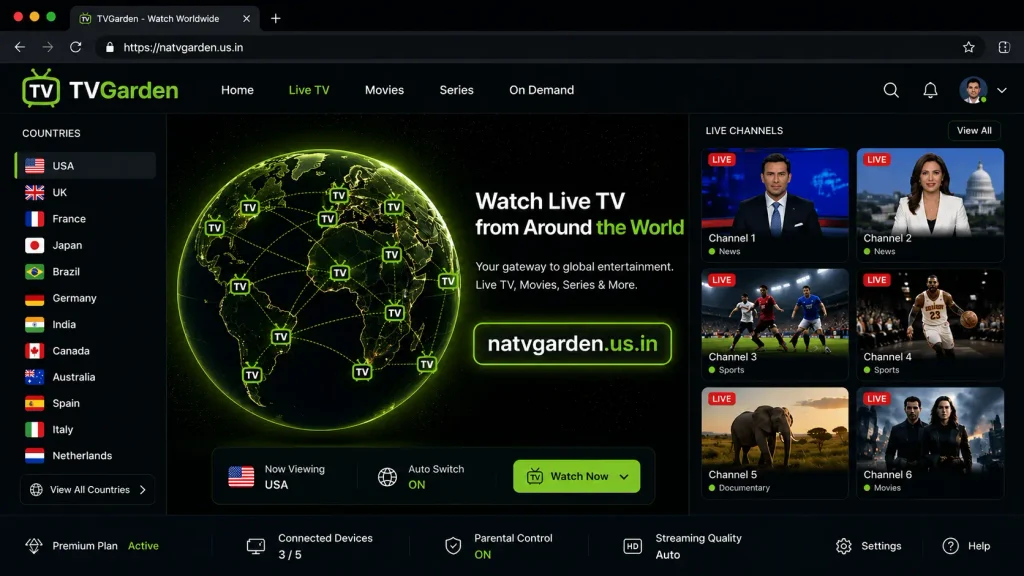
Use the interactive globe to look around different parts of the world. You can begin with a country or region that interests you.
Select a Location
Choose a location to see the channels associated with that area. The available selection may change over time.
Search for a Channel
If you already know what you want to watch, use the search function when it is available. Searching can be faster than manually exploring several countries.
Start Live Playback
Select an available channel to begin playback. If the stream does not load, try another available channel because individual sources can experience temporary problems.
Save Favorite Channels
When the favorites function is available, use it for channels you visit regularly. This can make future browsing much faster.
TV Garden Streaming Experience
The overall TV Garden Live experience depends on several factors, including the selected stream, device, and internet connection. Since different channels can rely on different sources, playback may not be identical across the entire platform.
A strong connection can usually provide a more consistent experience. On the other hand, unstable internet can lead to buffering, delayed loading, or interruptions.
Streaming Quality
Video quality can vary between individual channels. Some streams may look sharp on a large display, while others may use lower-quality sources.
For that reason, users should judge quality on a channel-by-channel basis rather than expecting every broadcast to deliver the same resolution.
Channel Loading and Switching
Channel switching can feel quick when the selected stream responds normally. However, loading time may increase when a source is slow or temporarily overloaded.
If one channel takes too long to start, trying another available broadcast can help determine whether the issue is with the individual stream.
Buffering and Playback Stability
Buffering usually occurs when the stream cannot receive data quickly enough for continuous playback. Slow internet, network congestion, or problems with the source can all contribute to interruptions.
Reducing other network activity and using a stable connection may improve playback. Still, source-side problems cannot always be fixed from the user’s device.
Internet Connection Impact
Live streaming requires a reliable internet connection. A stronger and more consistent connection generally gives the player more room to maintain playback.
For large-screen viewing, a stable Wi-Fi connection or suitable wired connection can be especially helpful.
TV Garden Requirements
The exact requirements depend on the platform and version. Nevertheless, users should consider a few basic factors before getting started.
Android Requirements
Check the Android version supported by the application and make sure your device has enough available storage.
Android TV Requirements
Confirm that your Android TV device supports the application and that the interface can be controlled comfortably with your remote.
FireStick Requirements
Check compatibility with your FireStick generation and available storage. Remote navigation should also work properly with the installed version.
PC and Mac Requirements
Computer users should confirm whether their chosen version supports their operating system. Browser-based access, where available, may have different requirements from a dedicated application.
Internet Requirements
A stable connection is essential for live playback. Faster speeds can help with higher-quality streams, but connection stability matters just as much as raw speed.
Tips for a Better TV Garden Experience
A few simple habits can make channel discovery and playback more convenient.
Use a Stable Internet Connection
Avoid heavy downloads or other activities that consume large amounts of bandwidth while watching live streams.
Choose Suitable Streaming Quality
When playback options are available, choose a quality level that matches your connection and device.
Save Frequently Watched Channels
Use favorites when supported. This saves time when you return to the same channels.
Use Search for Faster Discovery
Searching is often more efficient than manually exploring the globe when you already know the station you want.
Try a Larger Screen
A television or larger monitor can provide a more comfortable experience for longer viewing sessions.
Keep the App Updated
Using a compatible recent release can help avoid problems caused by outdated software. However, always check compatibility before updating.
Clear Temporary Data When Necessary
If the application begins behaving unusually, clearing temporary data can sometimes resolve minor performance issues. Avoid deleting important application information unless you understand what will be removed.
Common TV Garden Problems and Fixes
Even when the application works normally, individual streams or devices can occasionally cause problems. The following basic checks can help identify common issues.
TV Garden Is Buffering
First, check your internet connection. If other online videos also buffer, the problem may be related to your network.
If only one channel has problems, try another stream. This can help determine whether the issue is specific to that channel.
A Channel Is Not Playing
Individual streams can become unavailable. Refresh the channel and try again after a short interval.
If other channels work normally, the problem is likely limited to that particular source rather than the entire application.
TV Garden Loads Slowly
Close unnecessary applications and check your connection. Restarting the application can also clear a temporary loading problem.
The App Crashes
Make sure your device meets the application’s requirements and has sufficient storage. Updating the application or restarting the device may also help.
APK Installation Is Blocked
Android can prevent installations from unknown sources depending on your security settings. Before changing those settings, make sure you trust the APK source and understand what you are installing.
TV Garden Is Not Working on Android TV
Check compatibility first. Then restart the application, verify the network connection, and make sure your remote can navigate the interface correctly.
Chromecast or Casting Is Not Working
Check that the compatible devices are connected to the same network. Also confirm that the version you are using actually supports the casting feature.
Audio and Video Are Out of Sync
Audio-video synchronization problems can sometimes result from the individual stream. Try restarting playback or testing another channel to see whether the issue continues.
Is TV Garden Safe and Legal to Use?
Safety depends partly on how and where you access the service. Users should be particularly careful when installing an APK from outside a trusted application store.
Before installing any file, consider its source, version, permissions, and reputation. Avoid packages that appear modified or request unnecessary access to personal information.
Legal considerations also deserve attention. Television streams can have different licensing arrangements and regional restrictions. Therefore, users should make sure that their viewing activity complies with the laws and copyright rules that apply in their location.
It is also important to understand that TV Garden does not automatically make every available stream legitimate simply because it can be discovered through the platform. When in doubt, verify the official source or broadcaster.
TV Garden vs Traditional Television
TV Garden offers a different approach from conventional television services. Traditional TV usually provides a fixed lineup through cable, satellite, or another local distribution method.
By contrast, the TV Garden concept focuses on discovering channels from different geographic locations through the internet.
Neither approach is automatically better for everyone. TV Garden can appeal to users who enjoy exploring international broadcasts, while traditional television may suit viewers who prefer a stable local lineup.
Why Choose TV Garden?
The biggest attraction is the freedom to explore television beyond a single regional channel list. Instead of watching only familiar stations, users can discover broadcasts from different countries and languages.
The interactive approach also makes channel discovery more engaging. You can explore a location, find an unfamiliar station, and decide whether its programming interests you.
Moreover, features such as search, favorites, and location-based browsing can reduce the effort involved in finding channels. The experience is particularly appealing to users who value discovery as much as routine viewing.
Who Is TV Garden Best For?
TV Garden may be useful for viewers with an interest in international television. It can also appeal to people who want to explore broadcasts from countries they do not normally watch.
Language learners may find foreign-language channels interesting because regular exposure can provide additional listening practice. Likewise, people living away from their home country may enjoy discovering regional broadcasts.
However, users who require guaranteed channel availability or consistently identical streaming quality may prefer a traditional television provider or an officially licensed streaming service.
Frequently Asked Questions About TV Garden
TV Garden FAQ
Frequently Asked Questions
Final Thoughts on TV Garden
TV Garden takes a different approach to live television by putting global channel discovery at the center of the experience. Its interactive browsing concept gives users a simple way to explore broadcasts from different countries, languages, and regions.
The platform can be especially interesting for people who enjoy international news, entertainment, sports, music, documentaries, and other forms of television. Features such as channel search, favorites, location-based exploration, and supported playback tools can make the experience more convenient.
At the same time, users should keep realistic expectations. Live streams can change, individual channels may become unavailable, and playback quality depends on both the stream source and internet connection.
For anyone interested in exploring television beyond a traditional local lineup, TV Garden provides an interesting way to discover what is available around the world.